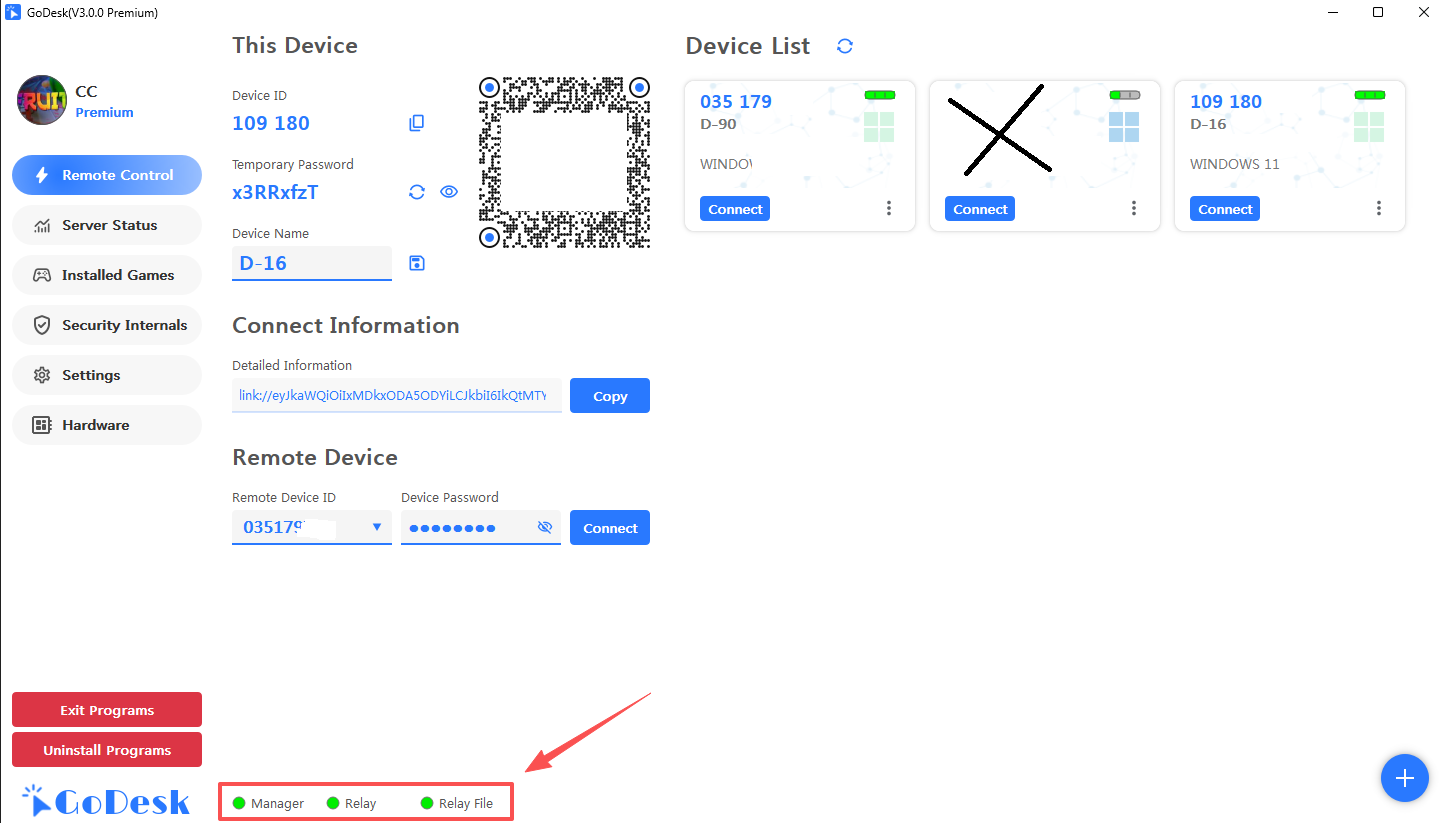
Client Config
1. Install/Upgrade Client
Simply double-click to install/upgrade
Be Allowed Ports TCP: 20369, 20370, 20371
2. Configure Management Backend Service
2.1 Open Backend
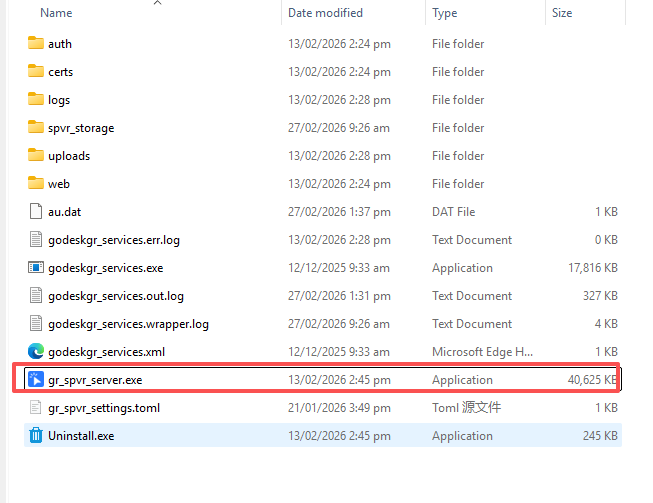
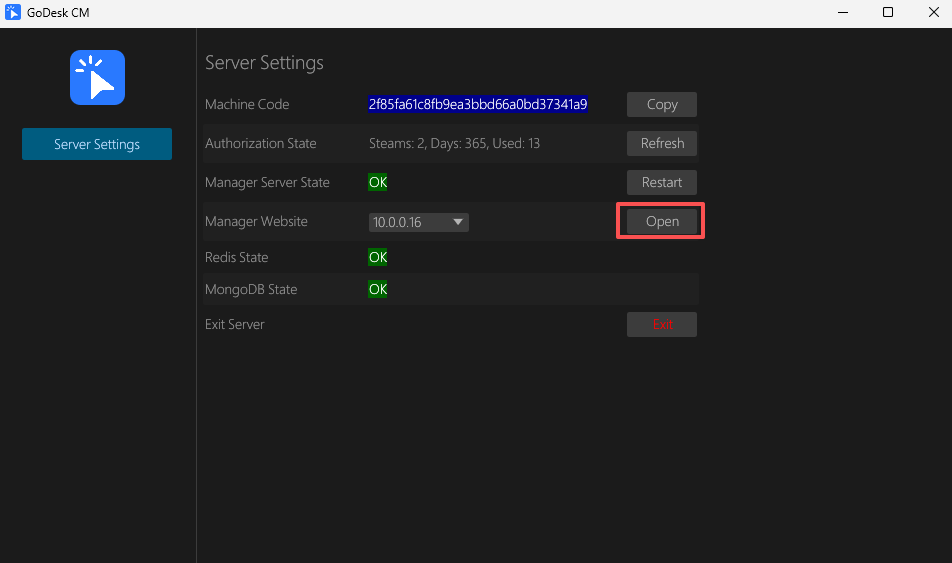
2.2 Get Access Info
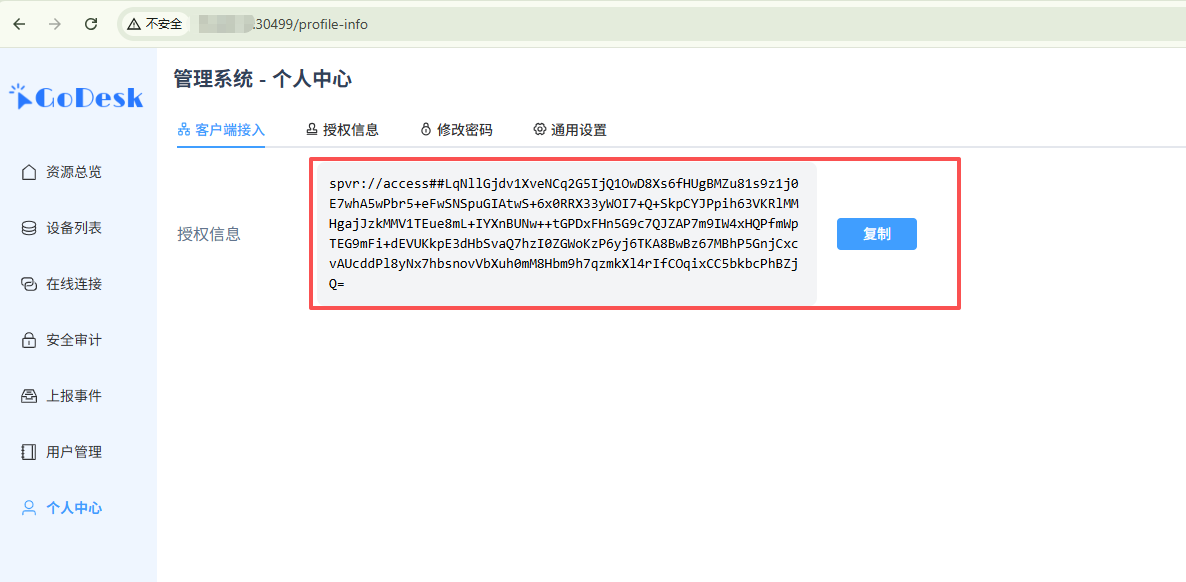
2.3 Enter in Client
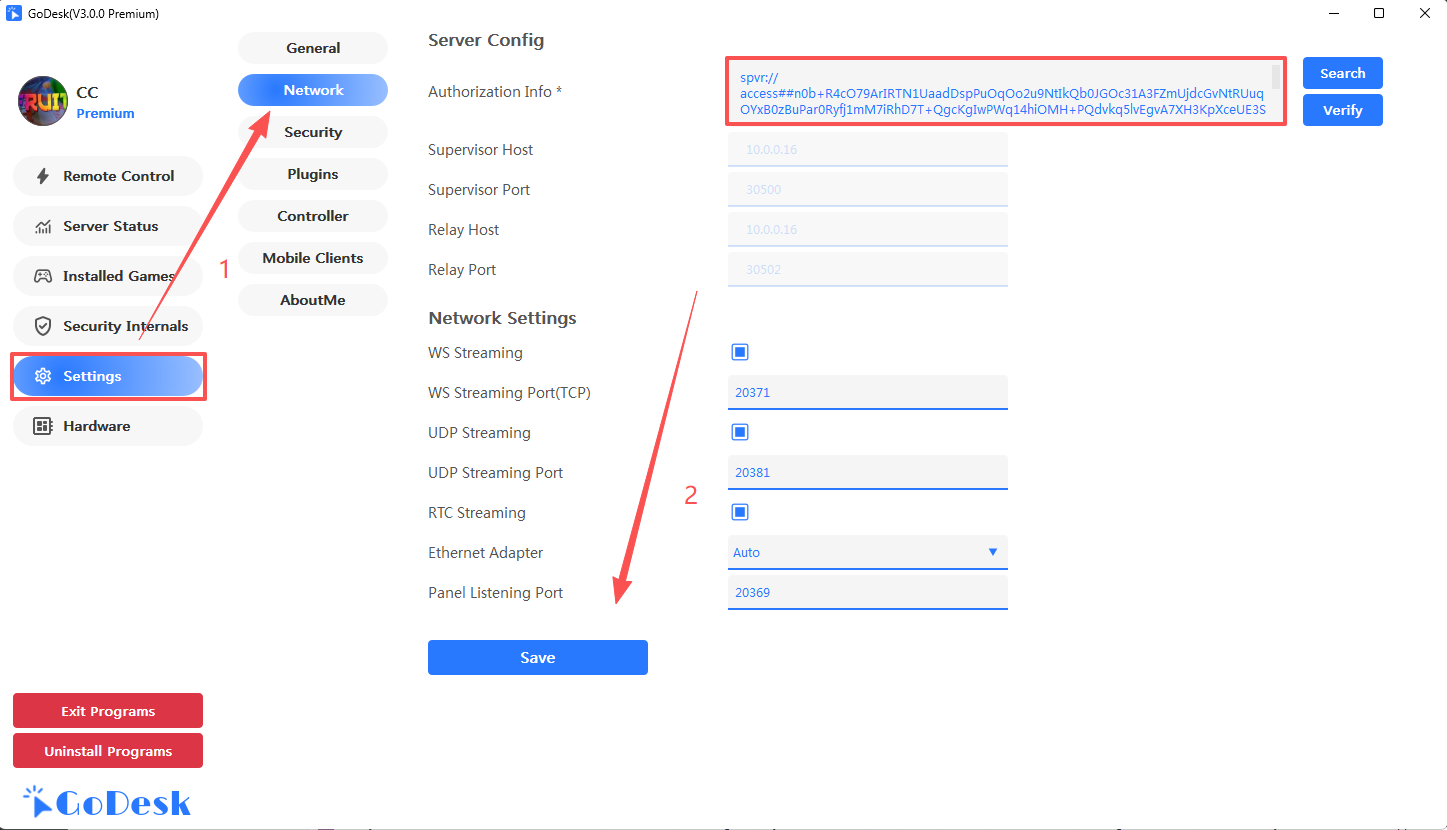
2.4 After configuration, the indicator icon shows green